Canon Taxi
Driver Portal Login
Only used Chorme browser.
Choose Your Platform
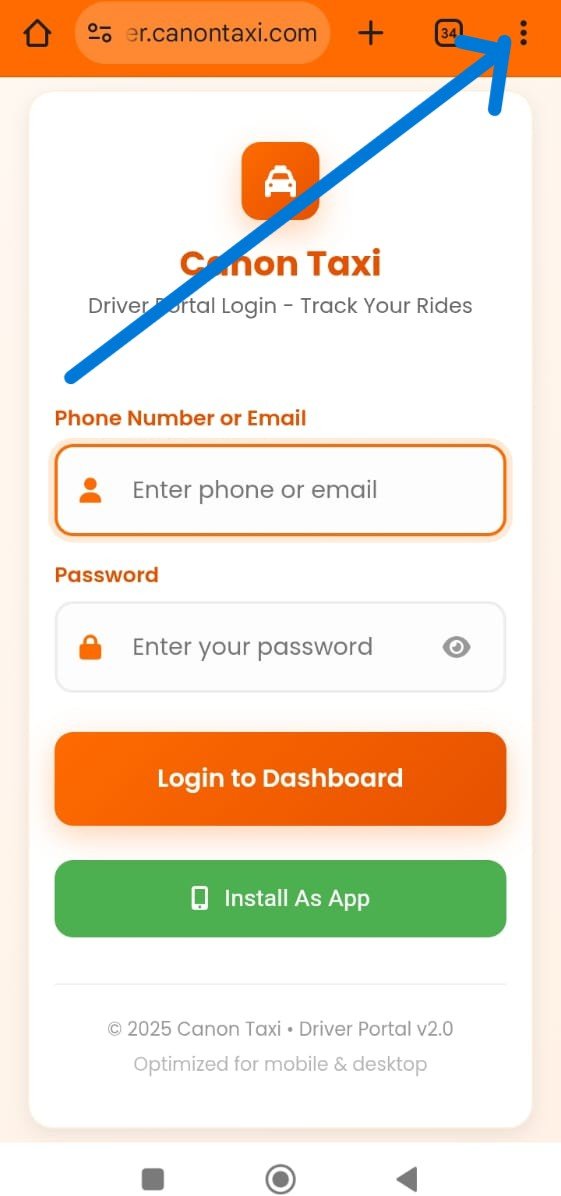
Step 1: Open Menu
Tap the 3 dots menu (⋮) at the top right of your browser.
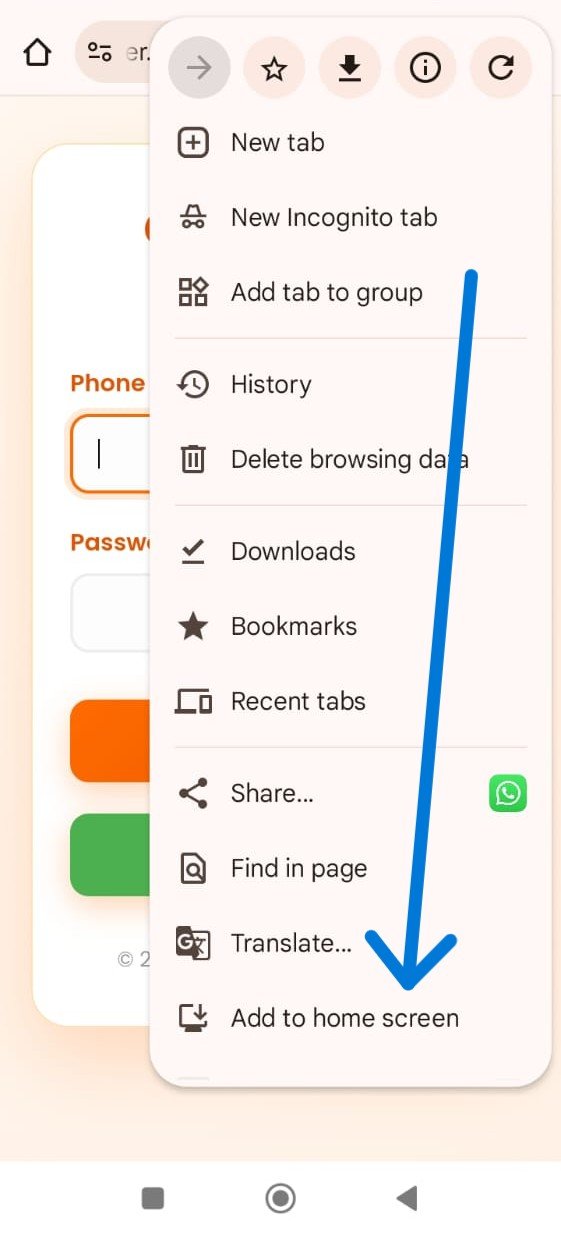
Step 2: Select Add to Home Screen
Scroll and tap "Add to Home screen" or "Install app".
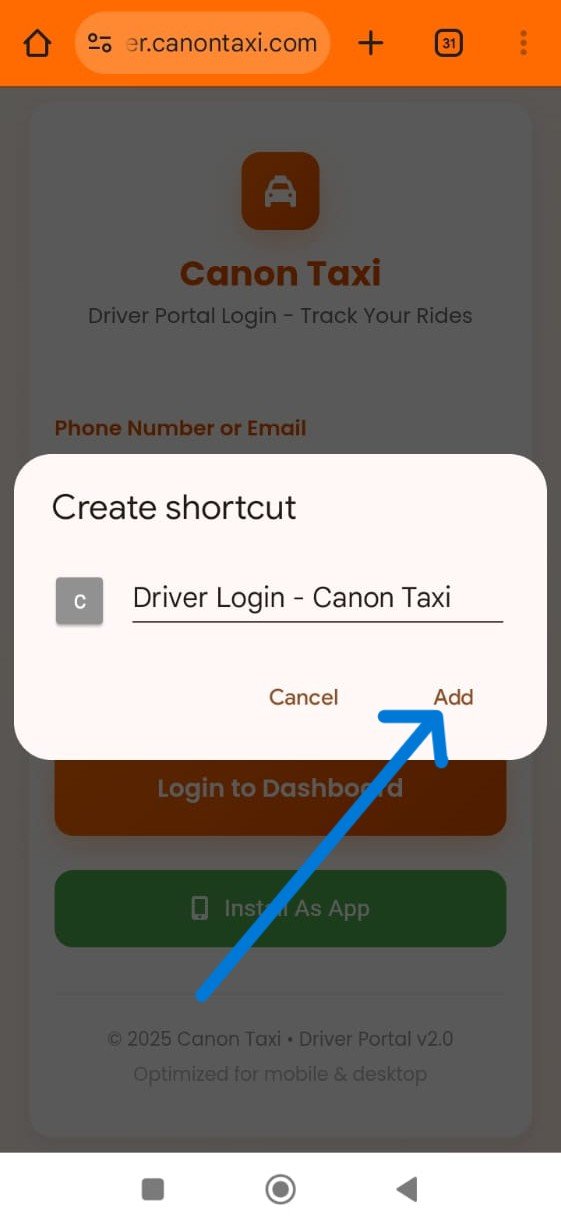
Step 3: Confirm and Add
Edit the name if needed and tap "Add". The app icon will appear on your home screen.
Step 1: Open Menu
Click the 3 dots menu (⋮) at the top right of Chrome.
.png)
Step 2: Install App
Go to "Save and Share" > "Install page as app" or "Create shortcut".
.png)
Step 3: Confirm Installation
Choose name and location (e.g., Desktop), then click "Install". The app shortcut will appear.
.png)